13. References
It is important for us to have an idea of what exactly is stored in our variables
Warning
The ideas below are presented at a high level and are a simplification of how Python actually works. The simplification is sufficient for what we need to understand, and the details that differ are not important at this stage.
Here is an idealized view of memory inside a computer
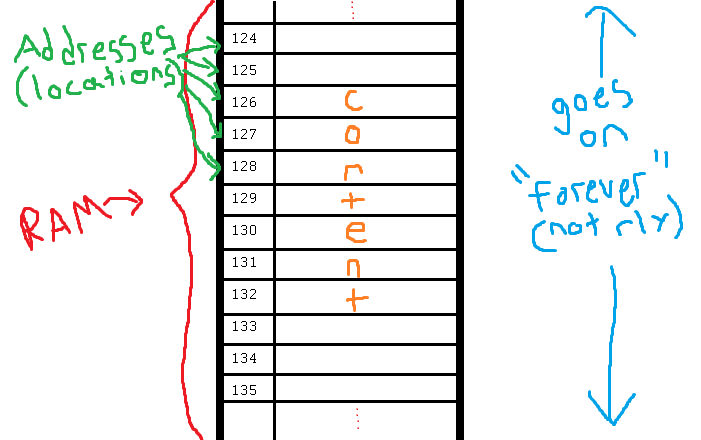
13.1. Primitive Types in Memory
Let’s say we have a single integer called
xAn integer is a primitive type
In many programming languages integers take up 32 bits worth of memory
That means 32
0s and1sE.g.
00101010010010110101110100010100, which is the number709582100
Since we know how much memory an integer takes up, we can easily put integers into nicely divvied up chunks of memory
If we divided memory into blocks of 32 bits
And we create an integer variable
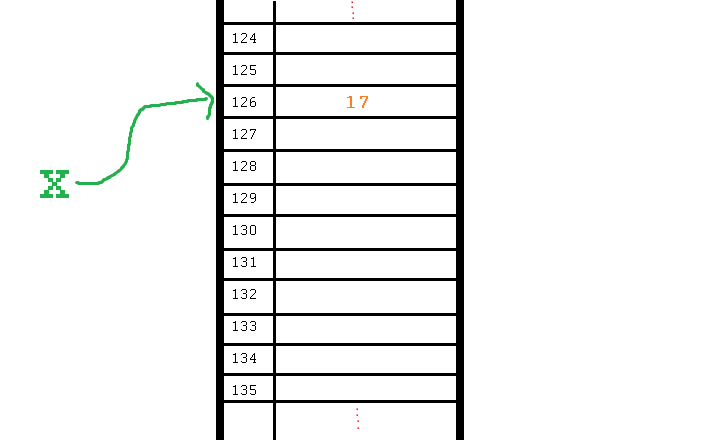
x = 17Something like this will happen
The value
17gets assigned to one of the 32 bit sections of memoryA label
xis created for that location
If we wanted to copy the value of
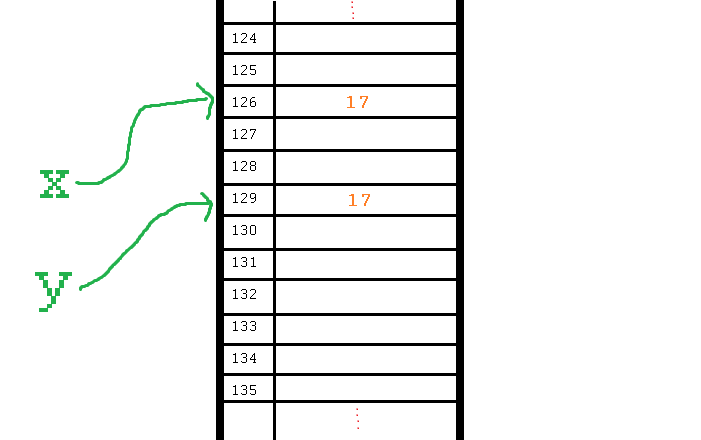
xinto another variable, I could write something likey = xWhen this happens
Copy the contents from the location with the label
xPlace the copied value into another 32 bit section of memory
Create a label
yfor the copied value’s location
The contents of
xare copied toy
This strategy works great for types that have a nicely defined sizes
But what happens when we do not know beforehand how much memory something needs in order to store it?
13.2. Lists in Memory

Above is a list with length
8The contents are labeled
a–h, but these are arbitrary labels and we can think of them as integersIn the examples so far, memory was divided into chunks of 32 bits which is perfect for integers
Unfortunately, we need to store a whole list that contains 8 integers
This needs 256 bits
Fortunately we have a solution
Store each of the elements within the list in their own memory location
Similar to how the integer
17was stored above
Section off a large block of memory for the list to hold references to each of the elements of the list
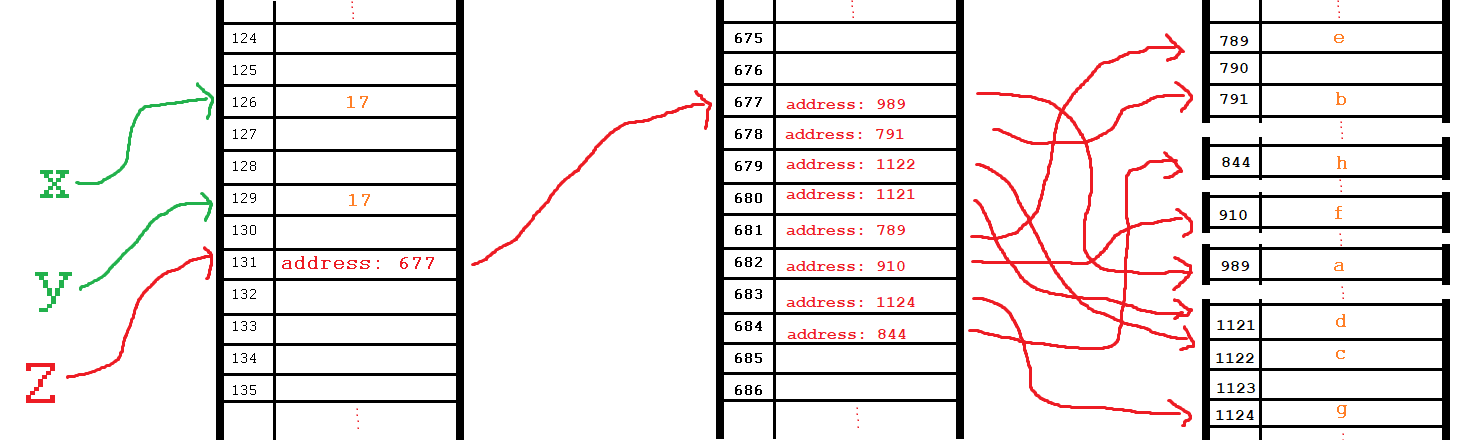
For example, the following image shows how we can think of storing the list
[a, b, c, d, e, f, g, h]
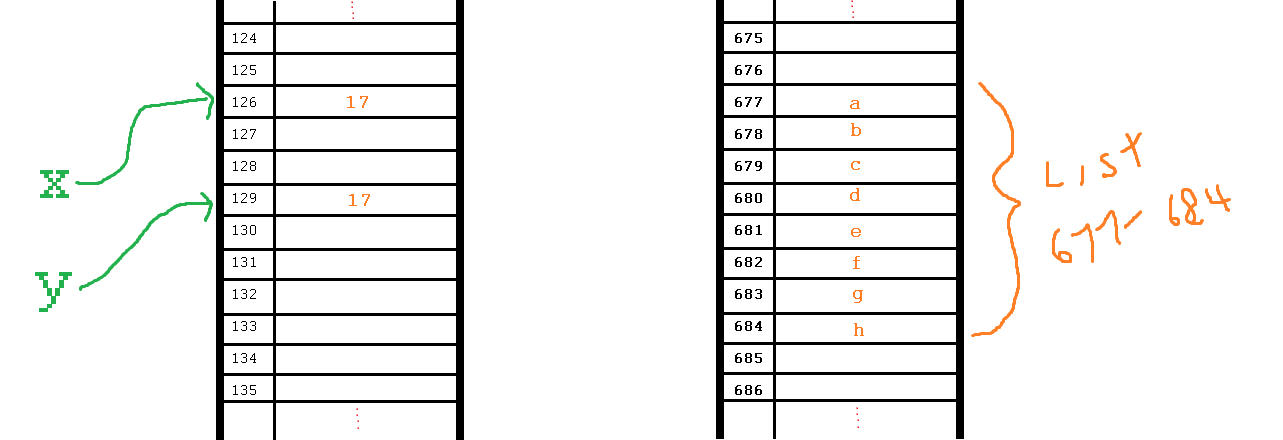
Just put each integer into its own memory location
Keep track of the fact that our list starts at memory address 677 and goes to 684
The trick is in how this is managed
13.2.1. References
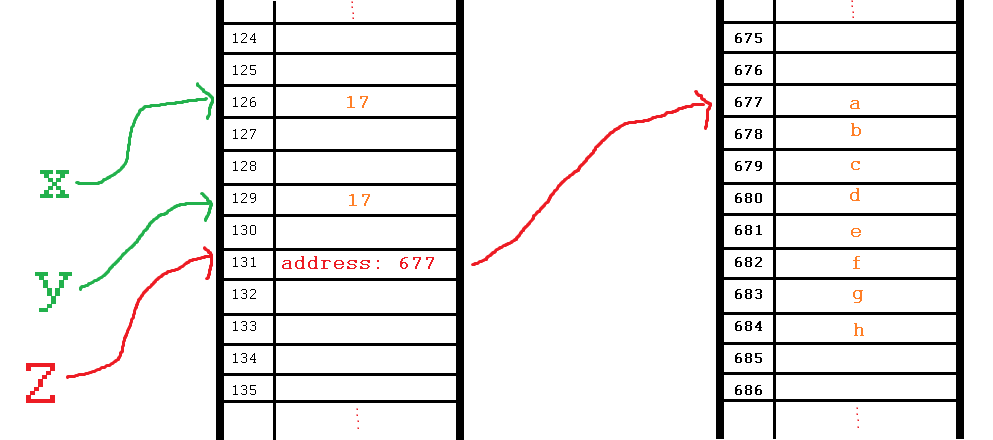
1z = [a, b, c, d, e, f, g, h]
Given the above list creation, the computer finds a contiguous block of memory to store the contents of the list
Each element in the list fits nicely into the divvied up sections
Then, the information needed to find and access the list contents is stored in a piece of memory labelled with the variable
zThe list is not stored in
z; the location of the list in memory is stored inz
Activity
Take a moment to look at this image and see if you can explain why we start counting at 0 when indexing lists.
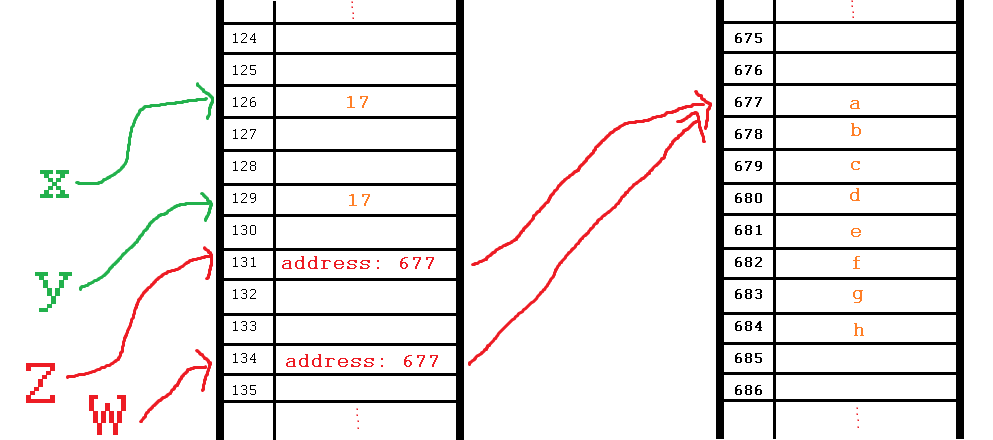
If we wanted to make a copy of
zlike we did with the integersxandy, we could write something likew = zAnd just like with the integers, this copies the contents of the memory location of
zand puts it into a new location labelled with awHowever, the catch is that the contents of
zis the memory address of the listAfter making the copy into
w, how many references are there to the memory location of the list?
If I want to make a change to
wand I write something likew[4] = P, the computer goes to the list referenced bywand alters the value at index4
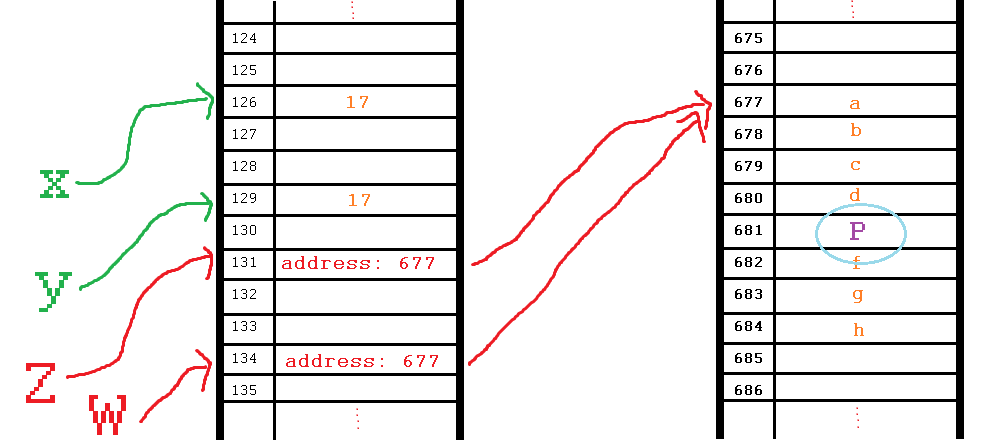
This does not alter the contents of the memory location of
w; this alters the data at the memory location referenced bywIn fact, this also alters the data at the memory location referenced by
zWhat would happen if I wrote
print(z[4])?
When we have two or more references referring to the same thing in memory, we call these aliases
wis an alias forzThis is discussed further in the following topic
Note
In reality, Python stores each list element in its own memory location and the list holds references to them.